
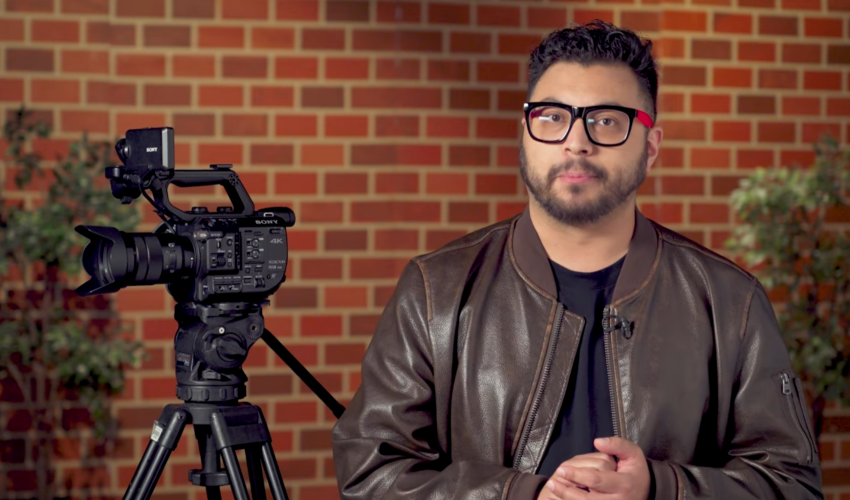
This hands-on tutorial designed to help students — whether beginners or experienced — quickly get up to speed with the Sony FS5 camera. Over 8 concise lessons (less than an hour total), you’ll learn everything from the basics of the equipment to how to configure and operate the camera for real-world shooting. By the end of the course you’ll know how to set up hardware, navigate menus, manage audio/video I/O, record and playback footage, and safely wrap up — giving you the confidence to handle the FS5 for documentary work, short films, web content, or other video projects.
By the end of this course, learners will be able to:
Camera Setup & Configuration
- Identify all major components of the Sony PXW-FS5 and set up the camera body, handle, grip, media, and power correctly.
- Prepare the camera for shooting by configuring essential system settings and initializing menu preferences.
Operational Skills
- Operate the FS5 confidently in real-world scenarios, including adjusting exposure, focus, white balance, and frame rate settings.
- Handle the camera safely using proper grip, ergonomics, and balanced shooting techniques.
Menu Navigation & Custom Controls
- Navigate the FS5’s menu system efficiently and modify key options such as picture profiles, media formatting, and system configuration.
- Utilize custom buttons and user-assignable controls to streamline on-set workflow.
Audio & Video Management
- Connect, configure, and monitor XLR audio inputs, onboard microphones, and line-level sources.
- Understand and manage video output options for monitoring, recording, and external devices.
Recording & Playback
- Select and apply appropriate recording modes, codecs, and formats based on project needs.
- Review and play back recorded footage on the FS5 to quickly confirm quality and coverage.
Technical Awareness & Troubleshooting
- Identify common issues related to media, battery life, audio levels, and camera settings — and troubleshoot them efficiently on set.
- Apply safe operating practices to avoid damage to the camera or accessories.
Wrap-Up & Gear Care
- Power down, pack, and store the FS5 properly to ensure all components are secure and ready for the next production.
Credits and Acknowledgments
Manager, Production & Facilities: Lesley Salvadori
Technical Lead – Video Production: Ryan Sykes
Produced, Written & Directed by: Wil Noack
Post-Production Coordination & Editor: Wil Noack
Audio Recording: Kevin Konarzewski
Audio Mixing: Joseph Shemoun
Graphics & VFX: Victoria Learn
- 1 Section
- 8 Lessons
- Lifetime
- Modules8
- 1.1Sony FS5: Getting Started with the FS52 Minutes
- 1.2Sony FS5: Reviewing The Equipment3 Minutes
- 1.3Sony FS5: Setting Up Your Hardware7 Minutes
- 1.4Sony FS5: Navigating The FS5 Menu & Initializing Your Camera7 Minutes
- 1.5Sony FS5: How to Operate The Sony FS514 Minutes
- 1.6Sony FS5: Managing Audio Video Inputs & Outputs4 Minutes
- 1.7Sony FS5: Recording Modes & Playback3 Minutes
- 1.8Sony FS5: Safely Striking Your Gear & Wrapping Up4 Minutes
